

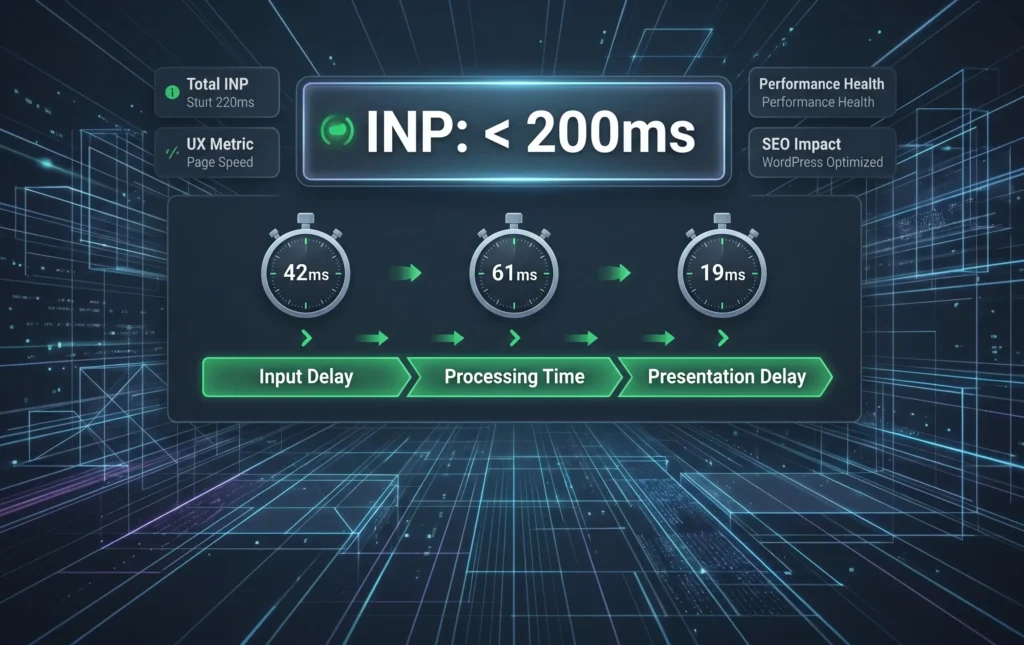
For the longest time, digital agencies and website owners obsessed over First Input Delay (FID) to satisfy Google’s Core Web Vitals. The reality is, the algorithm has evolved. FID only measured the very first click on a page—leaving a massive blind spot for how a website performed during the rest of the user’s session. To address this gap, Google officially replaced FID with a much more ruthless metric: Interaction to Next Paint (INP).
Right now, in 2026, INP is the definitive measure of website responsiveness, and it is directly dictating organic search rankings. In simpler terms, if your WordPress site loads fast but freezes when a user clicks a menu, opens an accordion, or adds an item to their cart, your INP score will tank, dragging your SEO rankings down with it.
1. What Exactly is INP (Interaction to Next Paint)?
At its core, INP does not measure how fast your page loads; rather, it measures how fast your page reacts. To be exact, it tracks the latency of every single tap, click, and keyboard input throughout the user’s entire visit. Google takes the worst interaction time (usually the 98th percentile) and assigns that as your overall INP score.
When it comes to benchmarks, the golden standard is strict: A good INP score must be under 200 milliseconds. Anything between 200ms and 500ms needs improvement, and worst of all, anything over 500ms is considered “Poor.” The hard truth is, if your WordPress architecture is built on heavy, bloated themes, you are likely failing this metric without even realizing it, frustrating users and signaling to Google that your site offers a poor experience.
2.The Main Culprit: Heavy JavaScript Blocking the Main Thread
Behind the scenes, the primary reason most WordPress sites fail the INP check is JavaScript execution. The browser relies on a single “main thread” to do almost everything: process HTML, build the layout, and execute JavaScript.
Let’s say a user clicks a button (like filtering products on a WooCommerce store). The browser cannot visually update the page as long as the main thread is currently blocked by a heavy, complex JavaScript task. To make matters worse, pre-made visual builders and multi-purpose themes are notorious for loading megabytes of unused JavaScript on every page. To truly fix this, developers must prioritize code splitting—ensuring the browser only loads the exact script required for the specific interaction the user is making, keeping the main thread clear.
3. Taming Third-Party Scripts and DOM Size
Even if your custom code is perfectly clean, third-party integrations can instantly ruin your INP. Marketing heatmaps, live chat widgets, and heavy analytics tracking tags frequently hijack the main thread at the exact moment a user tries to interact with your site.
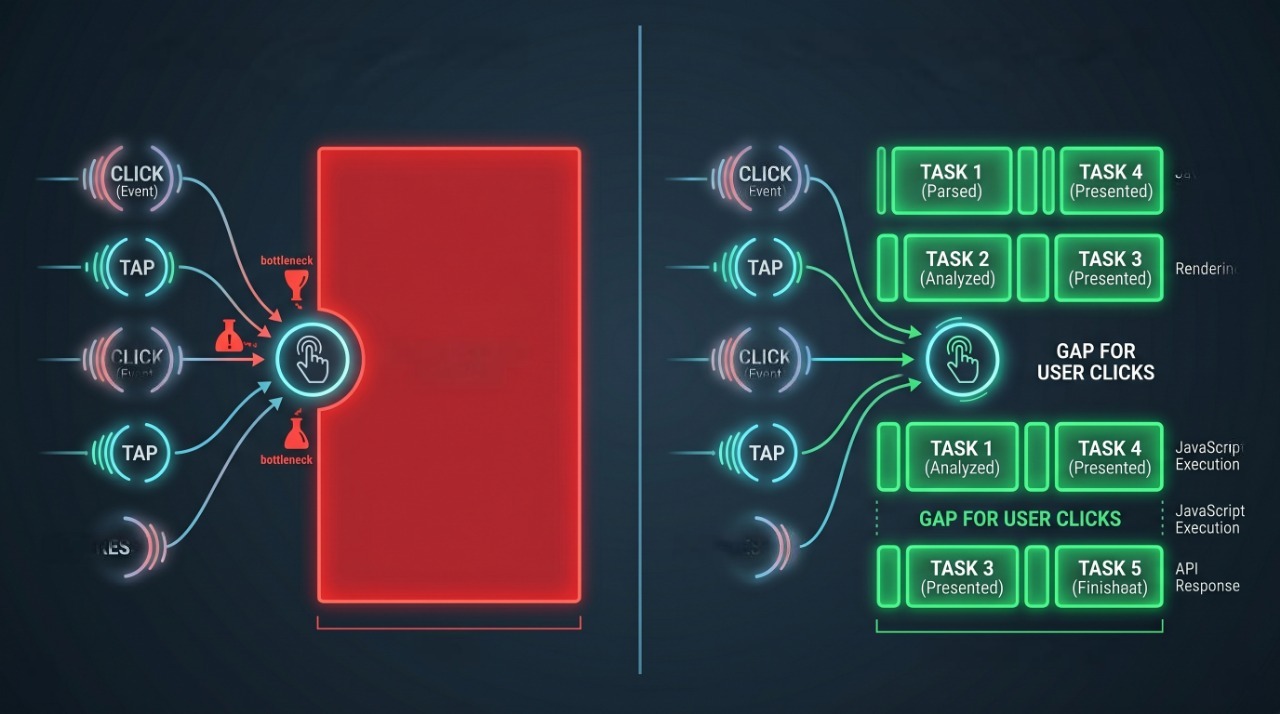
To regain control, mastering INP requires a strategic audit of these tools. Non-critical third-party scripts must be deferred or delayed until after the user interacts with the page. Alongside that, a massive Document Object Model (DOM) size—having thousands of hidden HTML nodes on a single page—forces the browser to recalculate the entire layout for even the smallest visual change. Simply put, keeping your DOM lean is non-negotiable for a sub-200ms response time.
4. Yielding to the Main Thread: Instant Visual Feedback
Sometimes, an interaction legitimately requires heavy processing, like a complex database search on a large B2B platform. The secret to maintaining a good INP in these scenarios is yielding to the main thread.
Instead of locking the screen while the backend calculates the result, advanced WordPress architecture instantly paints a visual cue—like a subtle loading skeleton or a micro-interaction—before executing the heavy data logic. This immediate visual response satisfies the INP metric (because the next paint occurred instantly) while the background task completes, keeping both the user and the search engine algorithm happy.
Conclusion: Responsiveness equals Revenue
INP is not just a technical vanity metric; it is a direct reflection of user frustration. A site that feels sluggish loses trust, bleeds conversions, and ultimately drops in Google search rankings. Fixing INP requires moving away from bloated templates and investing in clean, custom architecture.
Is your WordPress site failing the INP test? Let our technical SEO and development experts audit your code, clear the main thread bottlenecks, and engineer a lightning-fast digital experience.